Buyer guide
Wax vs Wax-Resin vs Resin Ribbons: How to Choose
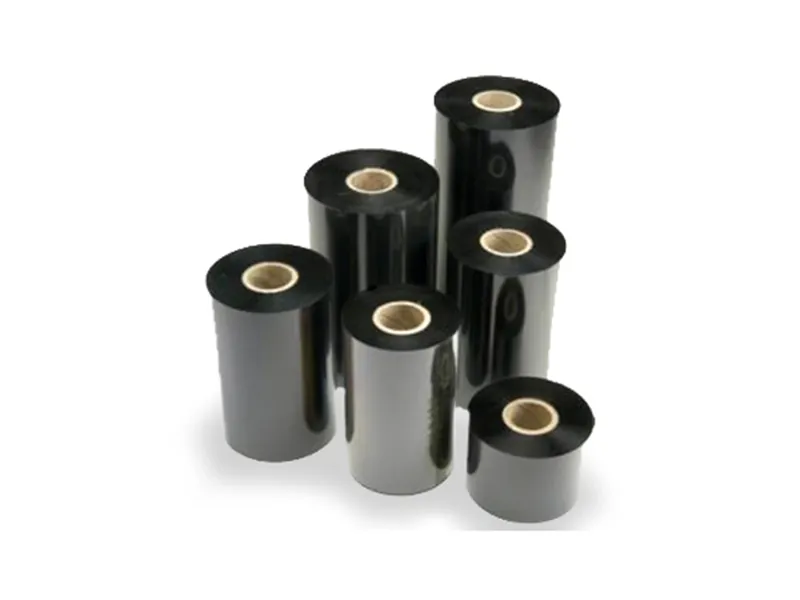
Thermal-transfer printers use a heated printhead to melt ink from a ribbon onto the label. The ribbon you choose decides how long the print lasts and what it can survive. Here is how to match ribbon to label.
The three ribbon types
| Ribbon | Best for | Durability |
|---|---|---|
| Wax | Paper labels: shipping, retail and short-life labels | Lowest; can smudge |
| Wax-resin | Coated paper and some synthetic labels | Good smudge and scratch resistance |
| Resin | Polyester, polypropylene, nylon and textile labels | Highest: resists washing, heat, chemicals and abrasion |
Resin needs more heat from the printhead, so you may need a higher darkness setting or a slower print speed.
When you need resin
- Garment, care and heat-seal labels that are washed or dry-cleaned
- Asset, equipment and electronics labels that must last for years
- Chemical, drum, outdoor and cold-chain labels
- Any synthetic label where wax would smear
Choosing width, length and core
- Width: at least as wide as your label, and no wider than the printhead.
- Length: desktop printers usually take short rolls (around 74 m); industrial printers take longer rolls (300–450 m). Match your printer's maximum.
- Core: 0.5" cores for most desktop printers, 1" cores for industrial printers. Some printers need a notched core.
Ink-in (CSI) or ink-out (CSO)?
Ribbons are wound with the ink on the inside (CSI) or outside (CSO) of the roll, and printers accept one or the other. To check a ribbon, rub the outer surface against a sheet of paper with a fingernail or paperclip: if it leaves a mark, it's ink-out. Your printer manual or the label on your current ribbon will also say.
Getting the best print
- Match ribbon to label material first.
- Set darkness and speed for the ribbon (resin usually needs more heat).
- Test-print and check the barcode scans, then test durability: rub, wash or wipe with the chemicals it will meet.
Need help choosing? Send your requirements and we'll recommend the right product. Get a quote →